Get started
Your first sale in three steps.
Nothing to install and no card. All you need is a phone or computer with a browser, and the internet the first time.
Three steps
From sign-up to the first sale.
- 1
Create your shop
Sign up in a minute. Your 3-day free trial starts straight away: up to 5 products and 10 sales a day, enough to try everything at the counter.
You'll need
- Your name and your shop's name
- An email address or phone number to sign in with
- A password
- 2
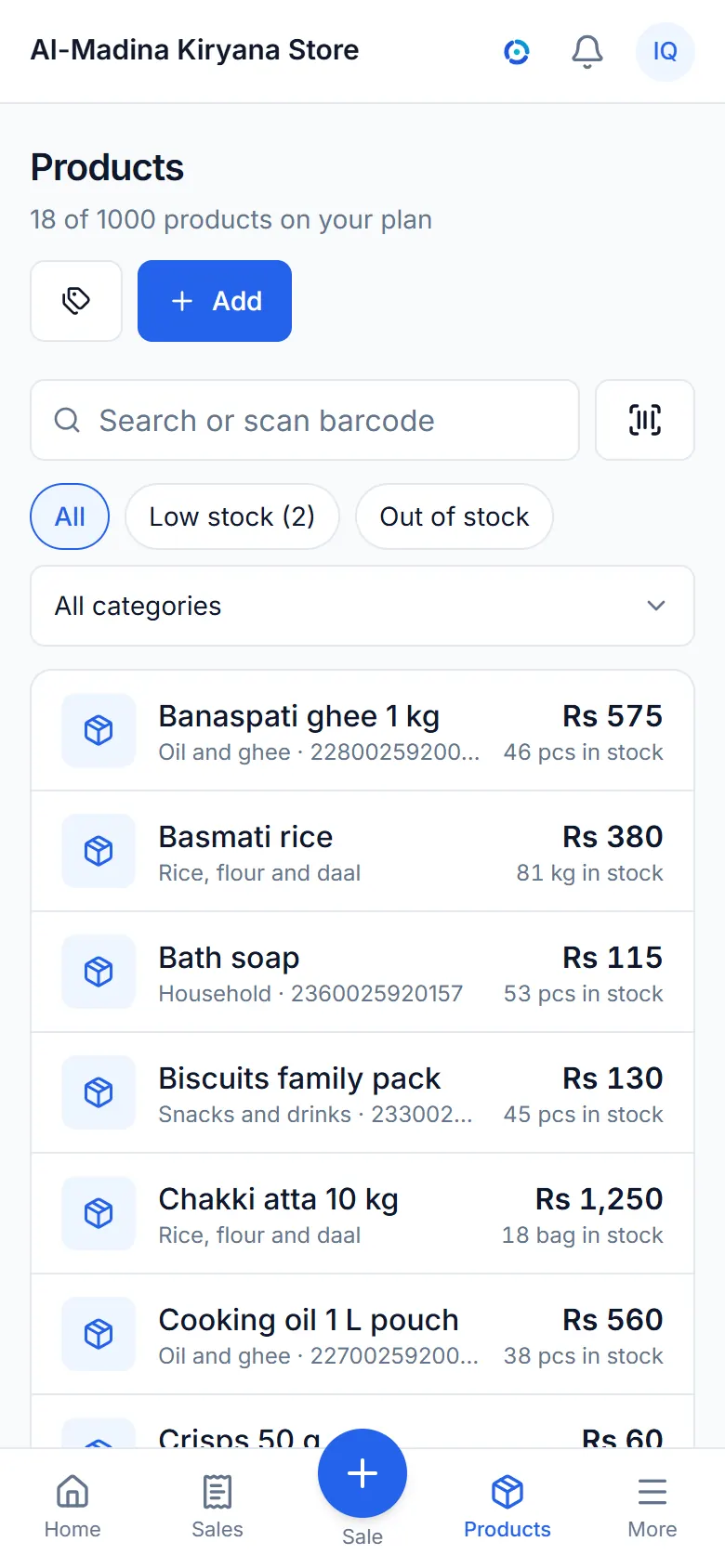
Add your products
Add each product with its price, its unit (pieces, kilos, metres, bags) and how many you have.
Got barcodes? Scan them with the camera or a handheld scanner as you add each product, and at the counter later.
- 3
Make your first sale
Tap the products, choose paid or credit, then Complete sale. The receipt is ready to print or share.
That's it: stock goes down, the day's figures go up, and it all syncs by itself.
Tap the products, then Complete sale.

In a few seconds
Two more things you'll do every day.
Install it like an app
Put ePOS on your home screen.
It opens full screen, straight to your shop, and works with no signal. No app store needed.
Android (Chrome)
- Open ePOS in Chrome and sign in.
- Tap the menu at the top right.
- Tap Install app or Add to Home screen, then Install.
iPhone and iPad (Safari)
- Open ePOS in Safari and sign in.
- Tap Share at the bottom (at the top on an iPad).
- Tap Add to Home Screen, then Add.
Notifications on an iPhone need ePOS on the Home Screen (iOS 16.4 or later).
Receipt printer
Connect a Bluetooth receipt printer.
Small 58 mm or 80 mm thermal printers work from Chrome on an Android phone or a computer.
Bluetooth printer
- Turn the printer on and switch on Bluetooth on your phone.
- In ePOS open Settings then Receipt printer.
- Choose Bluetooth thermal printer, pick the paper width and connect to your printer.
The printer is remembered on that phone; set it up once on each phone that prints.
iPhone, or any other printer
- iPhones can't reach Bluetooth printers from a browser.
- Choose Browser printing instead: print with AirPrint or save a PDF.
- Or share the receipt on WhatsApp.
What you need
Probably what you have already.
A phone or computer
Android, iPhone, a tablet or a computer, with an up-to-date browser.
Internet the first time
To create your shop and sign in. After that the counter works offline.
Nothing else
No installation, no card for the trial, no special hardware. A printer and scanner are optional.
Ready for your first sale?
Free for 3 days, no card. Questions first? We're a message away.